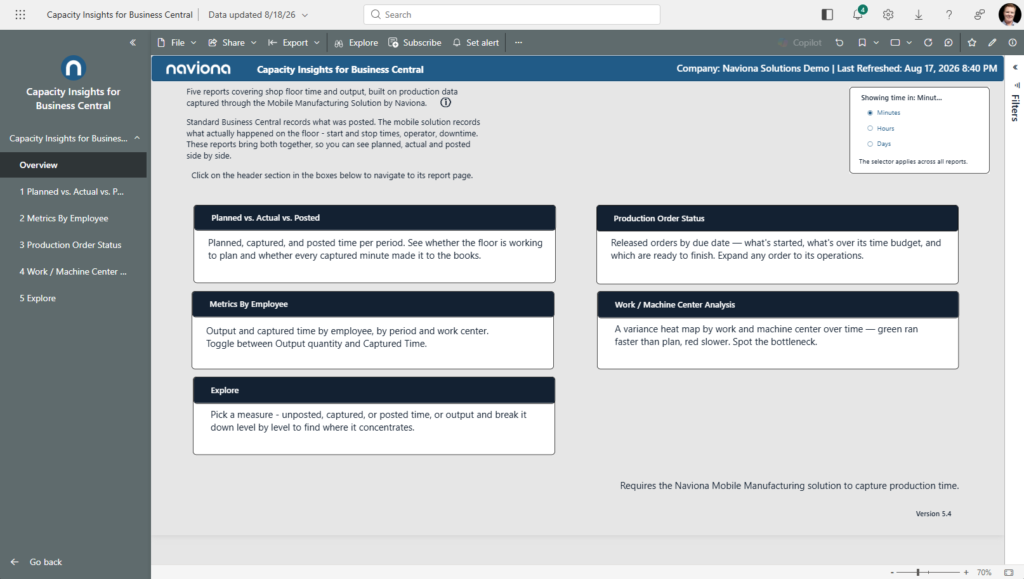
Capacity Insights for Business Central is a Power BI app that shows what happens on your shop floor, measured against your plan. Standard Business Central records what was posted; Naviona’s Mobile Manufacturing Solution records what really happened at each operation — start and stop times, the operator, and downtime. This app brings the two together, so you can see planned, captured, and posted time and output side by side across five reports.
It is built for production managers, plant supervisors, and controllers who need to know whether the floor is running to plan, whether every captured minute has been posted, and where time and output concentrate — without exporting to spreadsheets.
What you need before you start
- Microsoft Dynamics 365 Business Central (online) with the Naviona Mobile Manufacturing Solution installed and in use. The app measures the floor against plan using the start/stop time the mobile solution captures — without it, there is no captured data to compare to plan.
- A Power BI Pro (or Premium Per User) license for each person who will view the reports.
- Permission to sign in to your Business Central environment. You connect the app to your own data during setup, using your own Business Central credentials.
How the app is delivered
The app installs from Microsoft AppSource as a self-contained copy in your own Power BI tenant. Your data never leaves your environment, and Naviona has no access to your installed copy unless you explicitly share it. Once installed, you connect it to your Business Central environment and company, and the reports fill with your data.