The Copilot Inventory Queries Setup is where you add the connection details to you Azure OpenAI model and control what data is being sent from Business Central to the AI model as part of the prompt.
The Limit History and Compress History allows you to control how much data should be sent to the AI model. 24M in the Limit History field will for example only send the last 24 months worth of history to the AI model. If you have a lot of transaction then the Compress History can be used to send one entry per Week or Month, this is done by totaling the Quantity fields by Item No., Location Code, Variant Code and Entry Type from the item ledger.
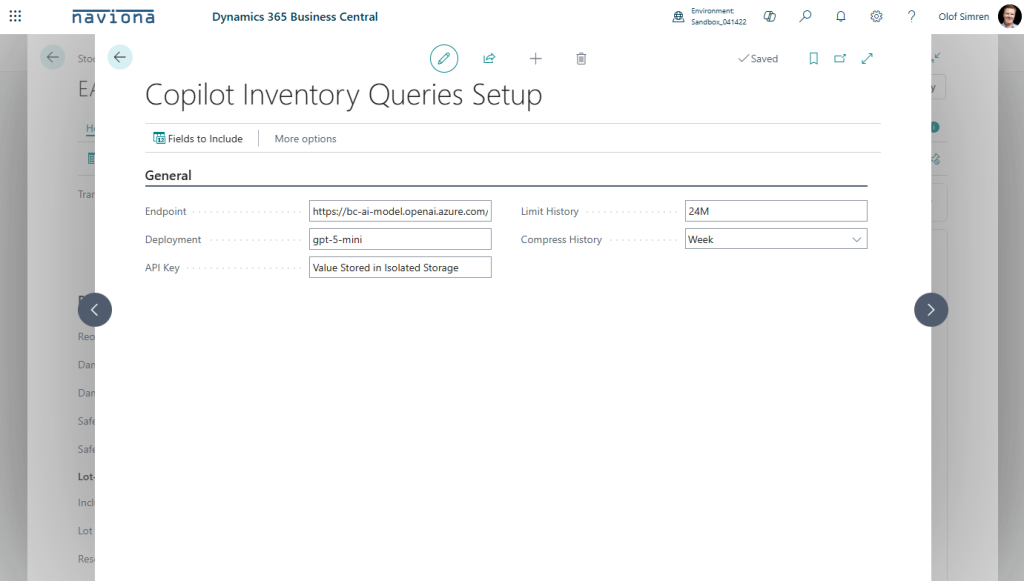
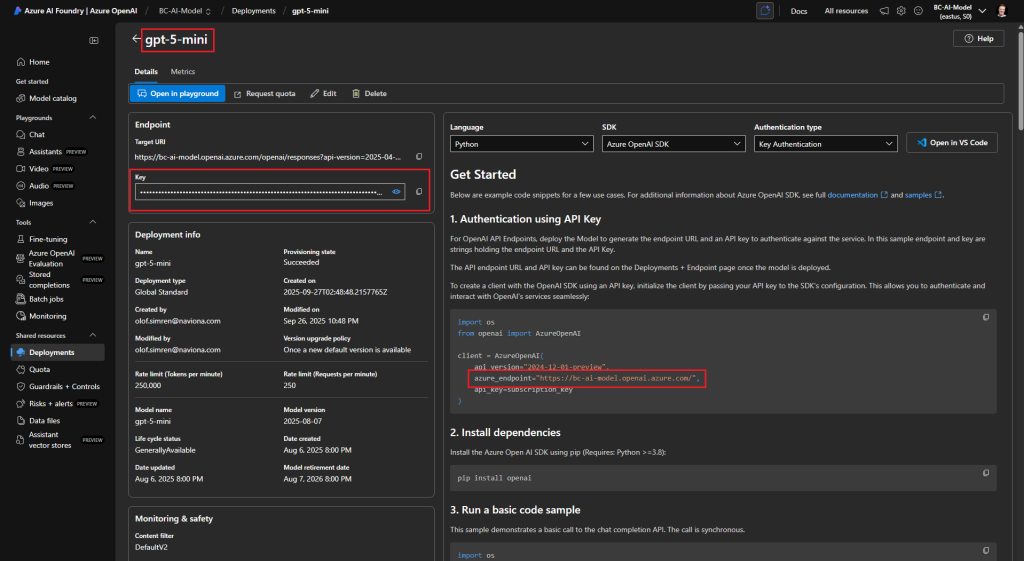
The Endpoint, Deployment and API Key are values that you find in your Azure OpenAI model according to below.
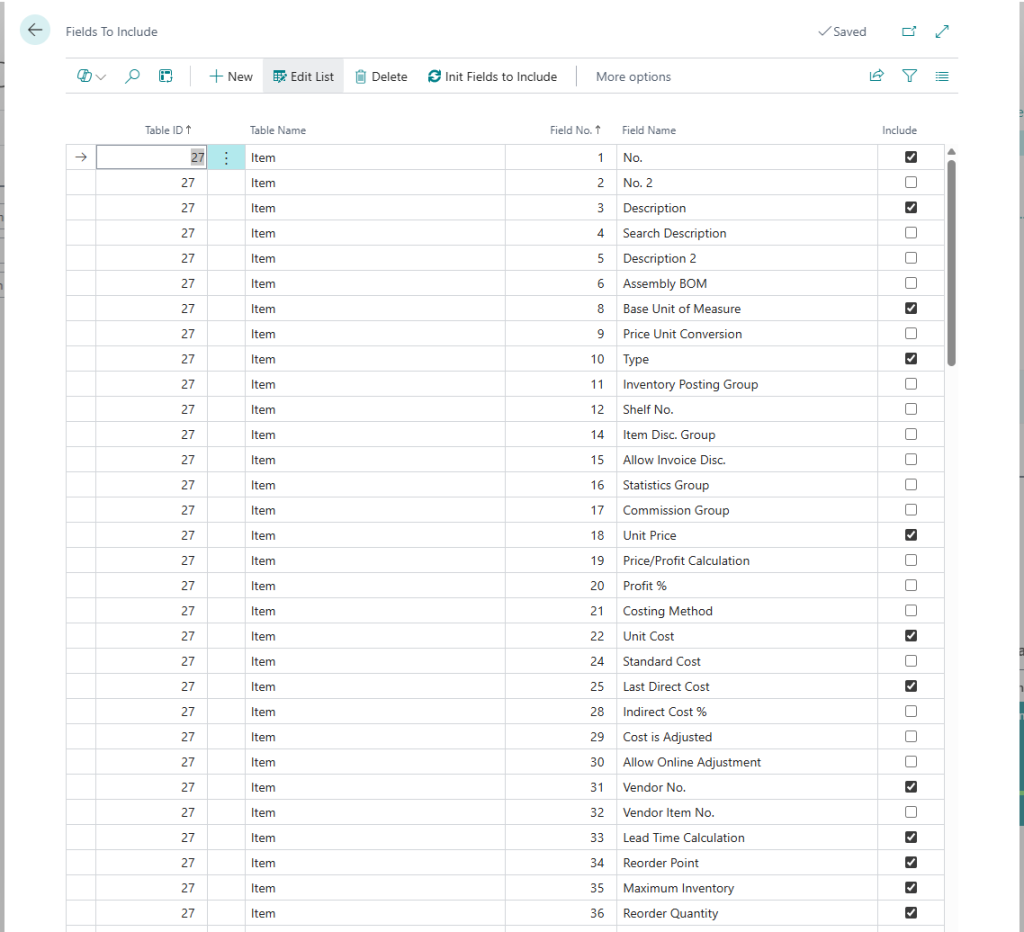
The Fields to Include that is accessible from this setup page contains a list of the fields that are sent as part of the prompt to the AI model. The list defaults, but can be altered as needed.