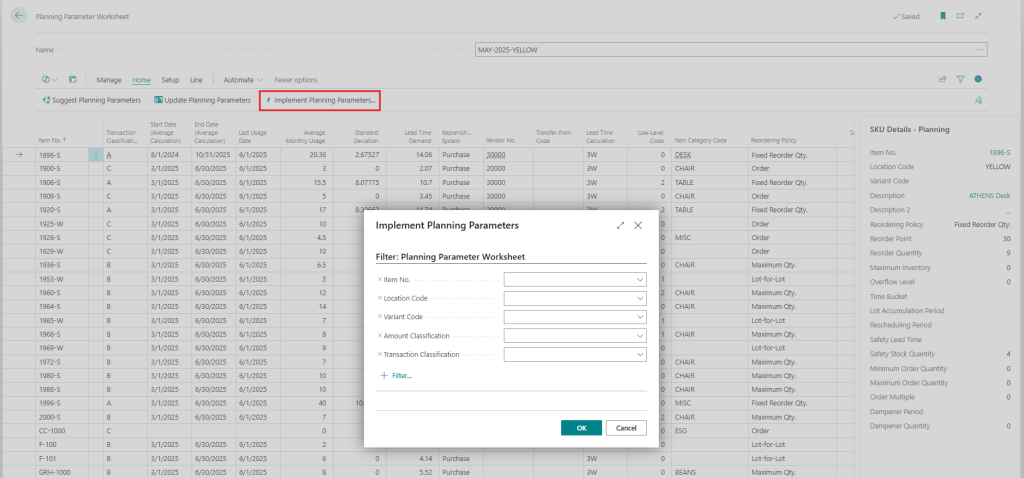
The Planning Parameters Worksheet is used to generate suggestion of Planning Parameters based on the setup described in the previous chapter. When generating the suggestion the user could filter on the fields in the Item and in the Item ABC Classification table.
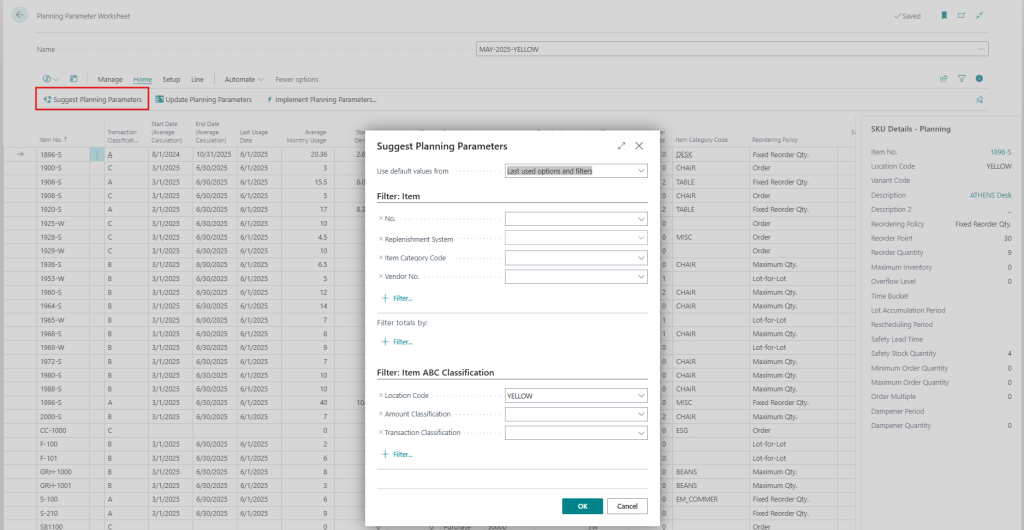
Note: The Items has to be classified in the Item ABC Classification table in order to appear in the Planning Parameters Worksheet.
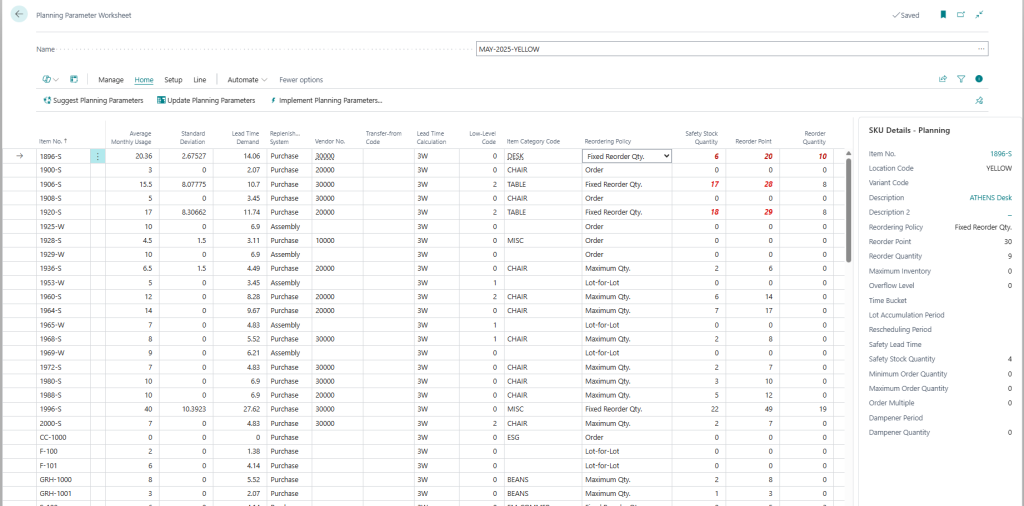
The Suggest Planning Parameters function will generate a list of Items/SKUs with the suggested Planning Parameters along with the current Planning Parameters, Average Monthly Usage, Lead Time Demand, Standard Deviation, Last Usage Date, ABC Classifications etc. Items could also be manually inserted in the worksheet. The suggestion could now be evaluated and if required manually changed. Shortcuts to the Item/SKU Card, Item Ledger Entries can be found under the Line button. Any suggested parameters that are different from the current parameters are highlighted in red.
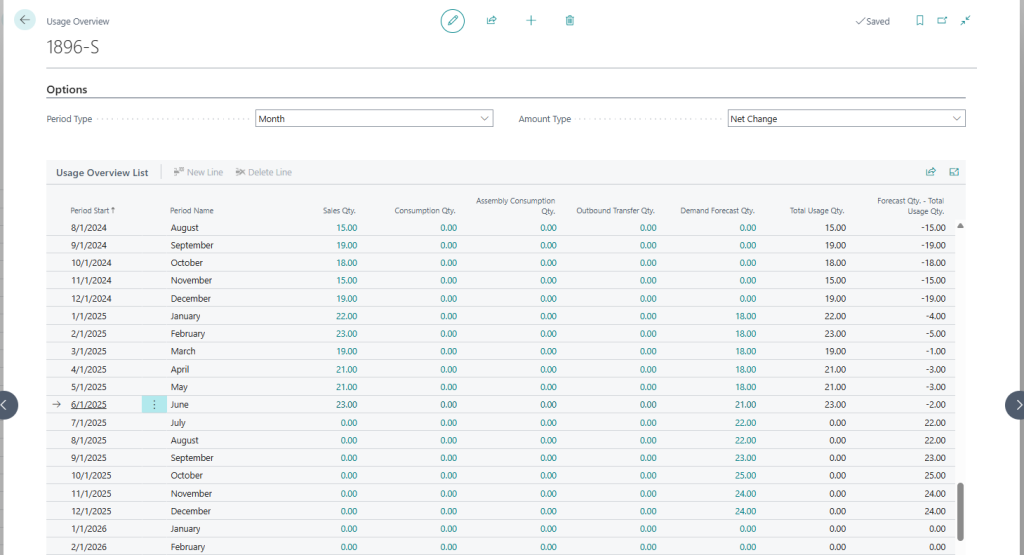
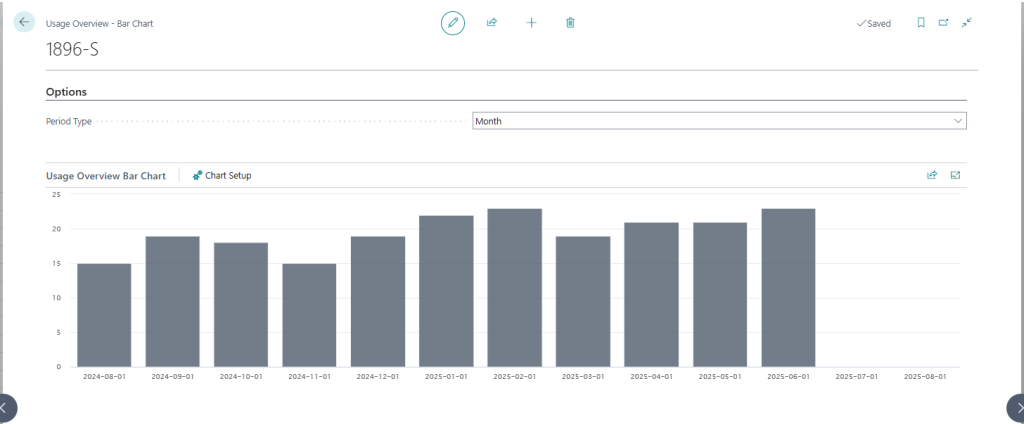
The Planning Parameter Worksheet also comes with two different forms displaying the Usage per Period (as a List or as Bar Chart) which could be used to evaluate the suggestion.
Usage Overview – List – This list displays the Sales, Consumption, Assembly Consumption, Outbound Transfer and Demand Forecast quantity per Period.
Usage Overview – Bar Chart – Displays the Total Usage (Sales, Consumption, Assembly Consumption and Outbound Transfer quantity) per Period as a Bar Chart.
The Planning Parameters are implemented by running the Implement Planning Parameters function under the Functions button. By applying a filter when running this function the user can implement some changes at a time. After this the Planning Parameters on the Item/SKU Cards are updated.