

You can register downtime against an operation using the Register Downtime option on the Task (or by scanning a barcode on a printout).
This opens the Downtime Card where production downtime can be entered. The downtime is registered by entering a date (which defaults to todays date), a reason code and starting and ending time. Downtimes are typically registered afterwards, which is why entering a starting and ending time is done rather than a Start and a Stop.
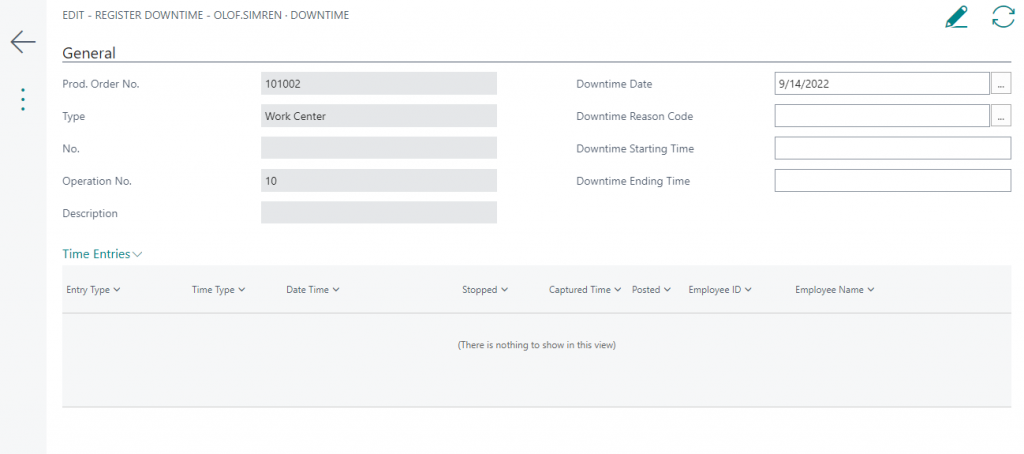
After entering the Ending Time the system will ask to register the downtime. Register downtime created Time Entries of the type Downtime. This can then later be reported on and it can be used to deduct the Setup and Run Times posted against the operation.