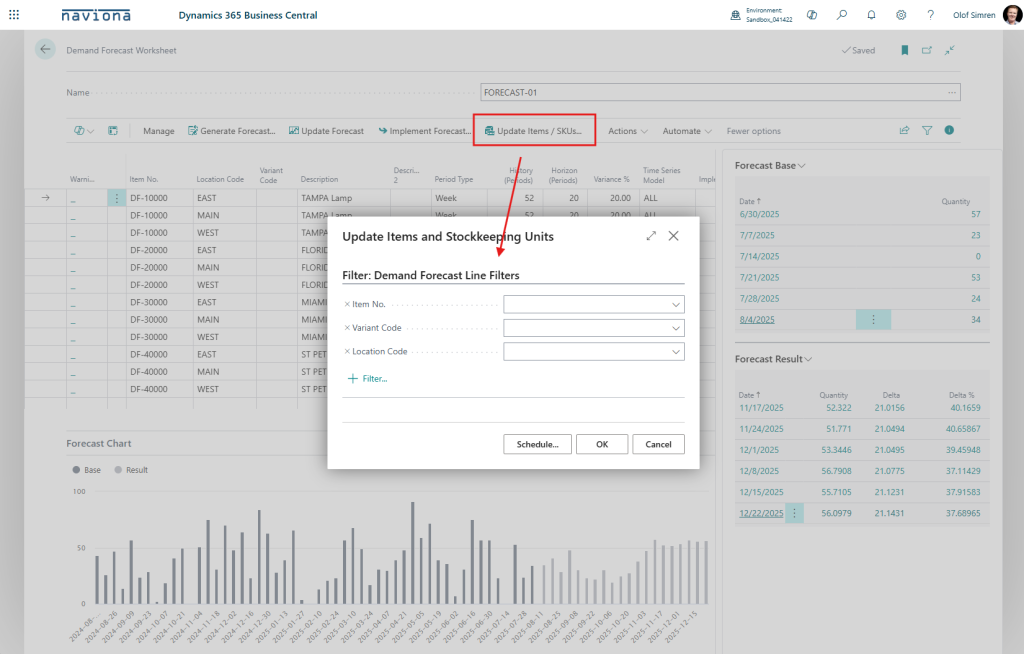
The Demand Forecasting Worksheet is used to generate forecast suggestions for items using the Forecasting API, also known as the Time Series API. The results are then pushed to the standard Demand Forecasting module in Business Central.
The first step is to generate the list of items to be used in the worksheet. For this you can either use the below Generate Forecast function or you can manually enter the lines (or use rapid start).
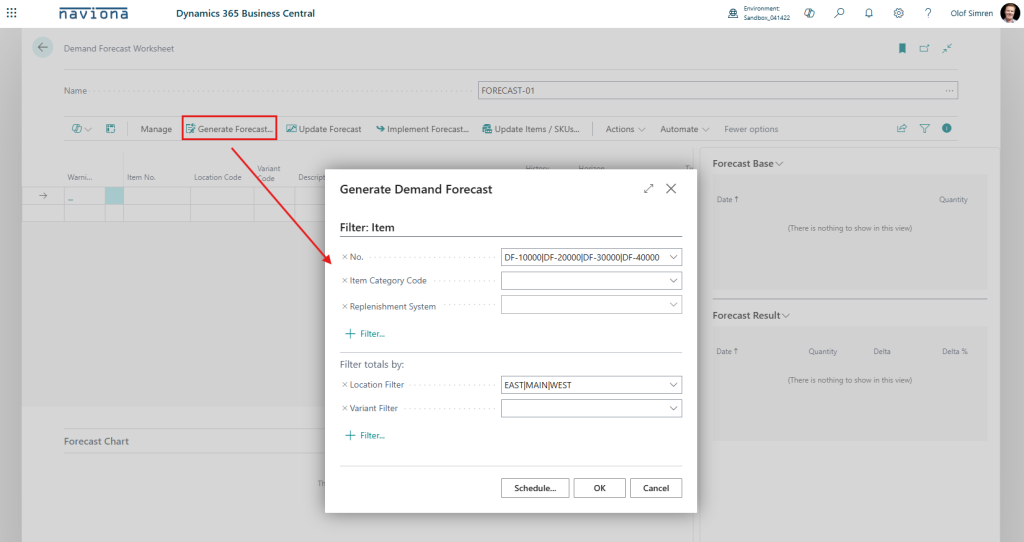
This will add the lines with default Periods and Time Series Model according to the Demand Forecasting Setup.
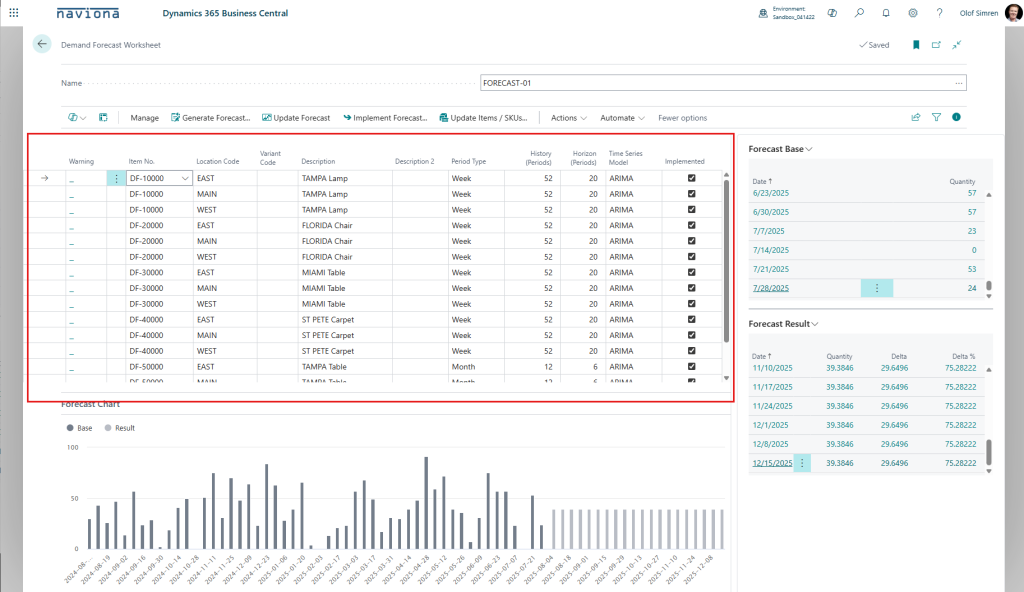
Now you can review the result and if required make changes to the Periods and Time Series Model. After making changes to those properties you use the Update Forecast action item to re-generate the forecast. This action item re-generates the forecasts for all lines selected. Note that you can insert multiple lines for the same Item, Variant Code and Location and apply different parameters, this way you can easily compare the result of the different models.
The graph in the lower part of the worksheet shows the history that was used by the model (called Base) next to the result of the forecasting model.
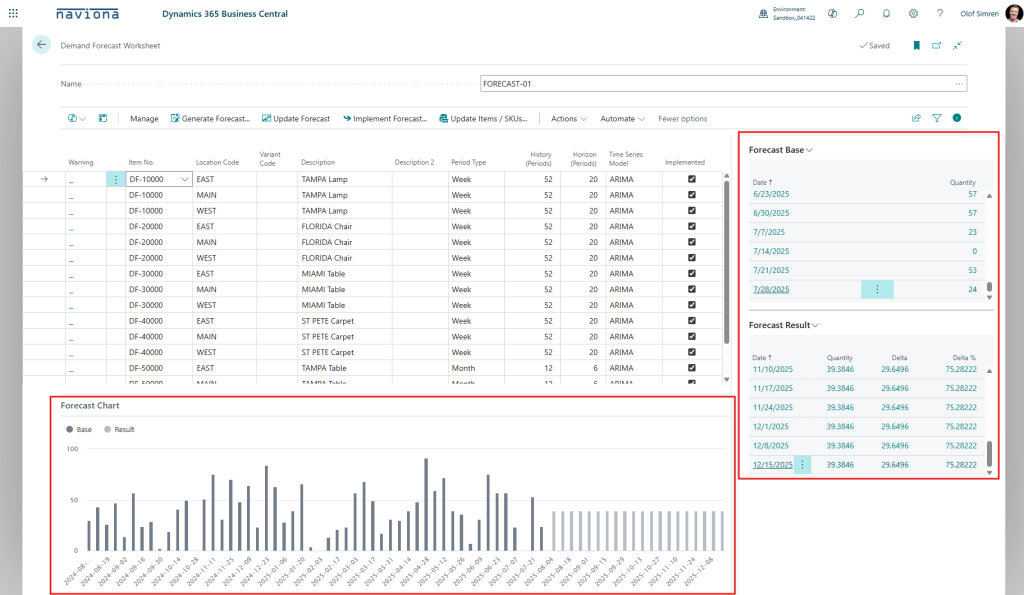
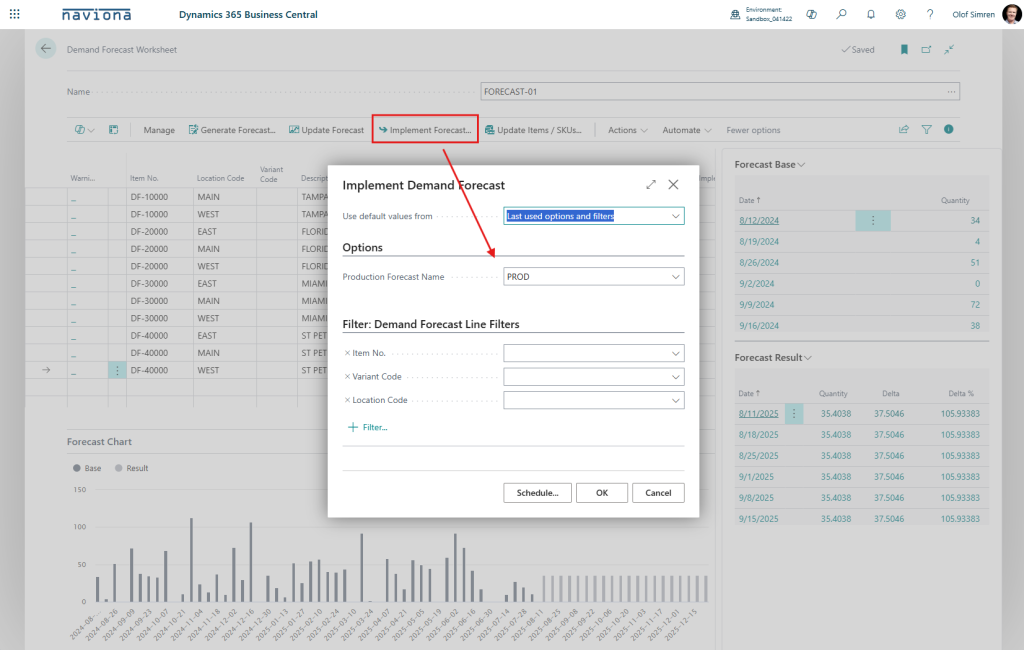
The Implement Demand Forecast action item is then used to update the Demand Forecast. When you use this action item you are asked to select what Demand Forecast to update.
The Update Items / SKUs action item will save the Periods, Variance % and Time Series Model on the Items (or Stockkeeping Units if exists), so that the next time a Demand Worksheet is created those values will default accordingly.